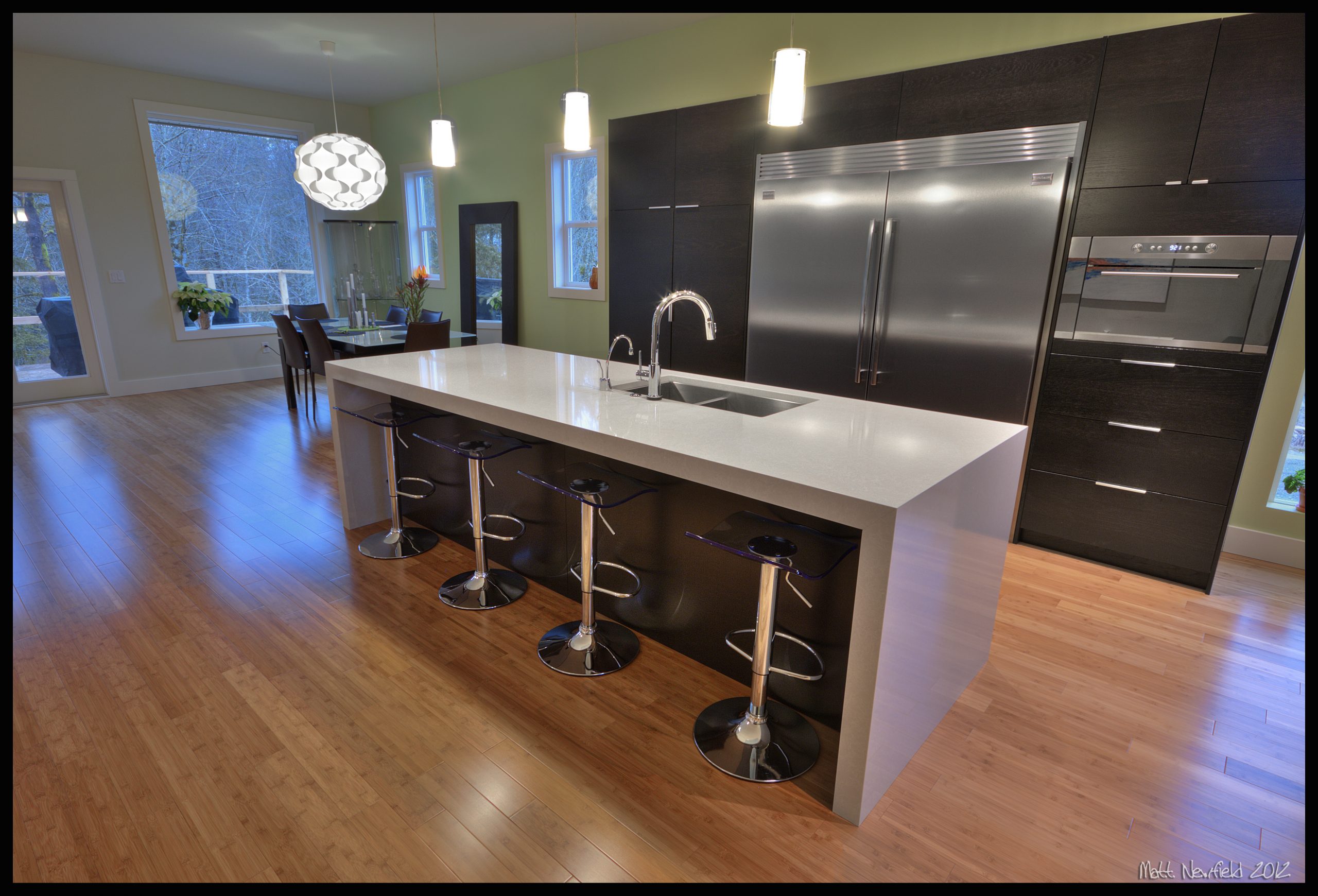
A stone benchtop can look perfect in the showroom and still fall short at install. The gap usually sits in one place, the template.
Digital templating moves measurement from guesswork to a recorded, reviewable model. For homeowners, that brings calmer install days. For builders, it supports steadier schedules, fewer call-backs, and cleaner handovers.
Why Measurement Tech Matters For Stone Projects
Countertops sit at the centre of daily use. A millimetre at a wall can turn into a visible gap across a long run. A sink cut-out that shifts can force a remake. Minor errors add cost, add friction, and add delays that flow through trades.
These are the main factors that turn a template into a dependable cut plan.
Fit At Walls And Cabinets
Walls drift. Cabinets can sit out of square. Corners rarely land at a neat 90 degrees. A digital capture records real angles and true lengths, so the shop cuts to the room, not the drawing.
That matters most on long spans and L-shapes. It matters in older homes where plaster has movement. It matters in new builds too, since base units can shift after delivery.
Sink And Hob Cut-Outs
Sink and hob placements carry tight tolerances. A cut-out that lands too close to a rail can weaken support. A tap hole that sits off-centre can look wrong every day.
Digital templating helps map each feature to cabinet lines, appliance specs, and clearance needs. It gives the fabricator a stable reference, then the installer gets a piece that sits cleanly on site.
Overhangs And Support Points
Island overhangs look simple in photos. On site, brackets, posts, and knee space create real constraints. Stone needs support in the right locations, with the right span.
A digital template can mark support lines, bracket centres, and edge build-ups. That reduces risk on breakfast bars, waterfall ends, and wide peninsula runs.
Seams And Vein Direction
Seams are not a flaw, they are a design and engineering choice. Placement affects strength, cleaning, and visual flow. Vein direction affects perceived quality.
A digital workflow lets the shop test seam positions on the slab layout before any cut. The client sees what will land in the room, not a rough sketch.
What Digital Templating Is In Plain Terms
Digital templating captures your countertop area with a site device, then turns that capture into a file for slab layout and machining. Many shops use laser capture tools, photo-based systems, or a mix. The method matters less than the discipline around review and sign-off.
Here are the core steps that shape a digital template.
Site Capture
A technician scans key points in the kitchen or bath. That includes walls, cabinet fronts, end panels, appliances, and any feature that breaks a straight run. The capture records angles and distances in a single coordinate system.
Prep still matters. Clear benches, remove fragile items, and give access to corners. Pets and children need a safe plan for the visit.
Data Review And Slab Layout
After capture, the shop checks the file against notes and photos. Next comes slab layout. This stage sets seam plan, overhang size, and vein direction. It can include extra checks for cooktop vents, window trims, or uneven walls.
A clear review process protects everyone. Clients see the layout. Builders get a record. The shop gets fewer surprises.
CNC Output And Shop Check
Many fabricators feed the final file into CNC equipment. The machine cuts the main shape. Hand finishing still plays a major role, especially on edges, sink polishing, and seam prep.
A shop check remains wise. That includes confirming appliance specs, sink model, and tap hole positions before stone hits the saw.
Manual Vs Digital At A Glance
| Topic | Manual Template | Digital Template |
| Site record | Paper or plywood pattern | File with points and angles |
| Review stage | Visual check on pattern | Screen review with layout |
| Repeatability | Hard to reproduce | Easy to store and revisit |
| Complex corners | Higher risk of drift | More stable geometry |
| Sign-off trail | Often informal | Clear record for approval |
Where Errors Show Up Later
A bad template can hide for weeks. The cost appears at install, when the crew has a truck booked, the site has trades waiting, and the client expects a finished room.
The following are the common areas where template issues surface.
Install Day Adjustments
Installers can scribe small edges, adjust silicone lines, and set seams with skill. Large issues are not a field fix. Stone has limits. Walls may need patch work. Cabinets may need a shift. A return trip becomes likely.
Digital templating reduces the need for last-minute work, which protects finish quality and site safety.
Stone Waste And Remakes
Natural stone is a finite slab. A wrong cut can waste a section that cannot be replaced with an identical pattern. Quartz can still carry shade variation between batches. A remake can force compromises, plus a longer wait.
A recorded template helps cut once and cut right, with fewer recuts.
Schedule And Trade Knock-On Effects
A delayed countertop holds up plumbing final, splashback install, and sometimes appliance commissioning. That delay can push occupancy dates and carry holding costs.
A precise template supports steadier programs. That matters for multi-unit projects, fast turn rentals, and retail fit-outs.
Questions To Ask Your Fabricator
Digital templating works best with clarity around files, tolerances, and approvals. The conversation can stay simple. A short checklist gives you confidence and sets expectations for the shop.
Here are the key questions that guide a smooth templating process.
Files And Sign-Off
Ask who reviews the template and who approves the slab layout. Clarify how changes are handled after capture. Get the sign-off process in writing.
- Who attends the template visit
- What prep is needed before the technician arrives
- When the layout proof arrives for approval
- How approvals are recorded, email or portal
- What happens if cabinets move after capture
Tolerances And Edge Details
Stone sits on a base that may not be perfect. Discuss acceptable gaps at walls and how the installer finishes them. Confirm edge profile, edge thickness, and any laminated build-up.
Ask the shop to note the following in the plan.
- Edge profile name and size
- Splash height and thickness, if any
- Overhang depth on islands
- Bracket or support locations
- Cut-out dimensions for sink and hob
Seam Plan Review
Seam placement deserves time. Ask to see the seam plan on the slab image, not a rough drawing. Confirm seam location against cabinet rails and appliance placements.
A strong seam plan often includes seam direction, seam width target, and notes for resin tint.
Protection For Floors And Walls
Stone delivery and install can damage new finishes. Ask how the crew protects flooring, door frames, and painted walls. Confirm who moves appliances and reconnects plumbing.
A calm install comes from roles that are clear before the truck arrives.
Closing Thoughts
Digital templating is not a gimmick. It is a practical step that supports fit, seam quality, and project certainty. The value shows up when the slab lands on site and sits down without drama.
A good fabricator pairs the right tools with clear review and sign-off. Ask the questions, confirm the layout, and treat templating as the foundation of the whole stone job.